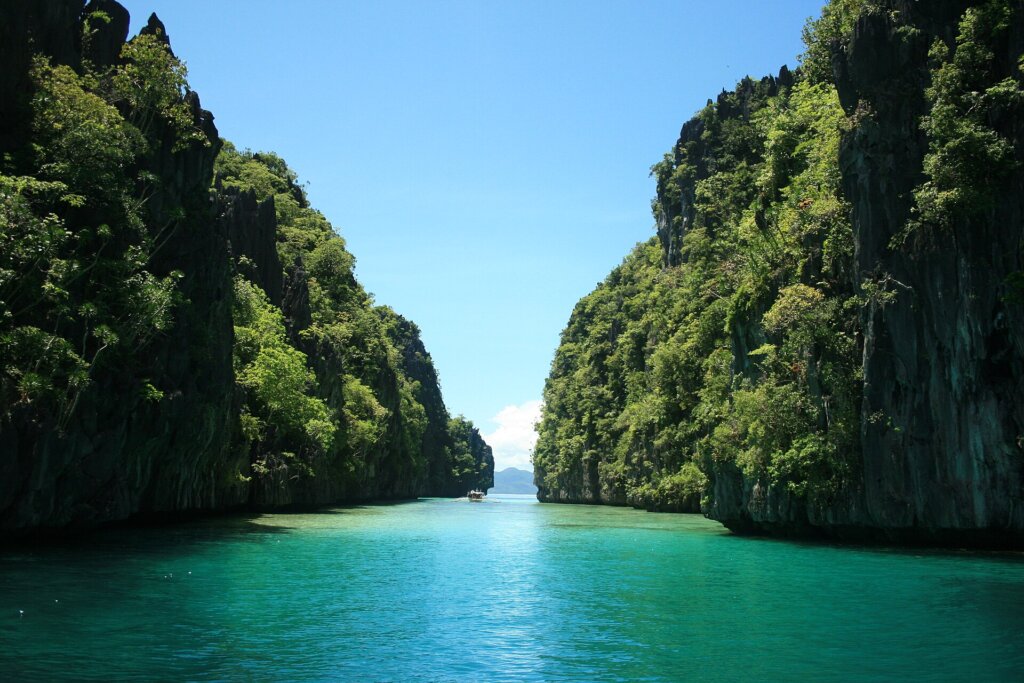

Island hopping in El Nido produces some of the best photos in Southeast Asia, but salt water, splashing boats and midday glare are hard on electronics. This guide focuses on the action camera versus waterproof phone case decision specifically for travellers who want to film and photograph their El Nido tours without buying gear they will regret. We compare cost, image quality, battery life, ease of use and risk of loss, then suggest a setup for each type of traveller.
- What Your Gear Actually Faces on an El Nido Tour
- Head-to-Head Comparison
- Why Action Cameras Make Sense
- Why a Waterproof Phone Case Can Be Enough
- Protecting Any Device From Salt, Sand and Sun
- Recommended Setups by Traveller Type
- Backups, Storage and Privacy
- Our Verdict
- Shooting Tips for Better El Nido Footage
- Common Mistakes That Ruin Gear and Trips
- Budgeting and Renting Instead of Buying
- Sharing and Editing Your Footage
- Frequently Asked Questions
What Your Gear Actually Faces on an El Nido Tour
A typical day starts on a bangka boat, where spray soaks everything within reach. You then swim, snorkel, climb in and out of the water and rest on sunny beaches. Sand gets into every seam, direct sun overheats screens and tropical humidity attacks cables and ports. Add the movement of the boat and the chance of a dropped device, and the demands become clear: your equipment must survive water, sun, sand and knocks.
Snorkelling spots such as the lagoons in Tour B are shallow and clear, which makes them ideal for underwater footage, but they also tempt people to hold expensive phones over the water. Plan your protection before you leave the pier.
Head-to-Head Comparison
| Factor | Action camera | Phone in waterproof case | Winner |
|---|---|---|---|
| Waterproofing | Built in, usually rated for several metres without a case | Depends on the case seal; failure risk if misused | Action camera |
| Image quality in good light | Wide-angle, stabilised, good video | Better sensor and processing on recent phones | Phone |
| Ease of use | Simple, but needs an app for editing | Familiar interface, but touchscreens work poorly through cases | Tie |
| Battery life | Short, but spare batteries are small | Drains fast under sun; also your lifeline for maps and calls | Action camera |
| Cost to add | High if you do not own one | Low: a case costs a fraction of a camera | Phone |
| Risk if lost or flooded | Lose only the camera | Lose your phone, tickets and bank apps | Action camera |
Why Action Cameras Make Sense
An action camera is designed for the exact conditions of an island tour. It is small, shockproof and waterproof, and a wide field of view captures entire lagoons and reefs. Stabilisation smooths out footage taken from a moving boat or while swimming. Mounting options include chest straps, floating hand grips and pole extensions, so you can film while swimming without carrying a phone. Because the camera is a separate device, losing it in the sea is painful but not catastrophic.
The downsides are the cost, the learning curve and the extra gear to charge. You also need to move the files to your phone to share them, which takes time. For travellers who plan many days of snorkelling or diving, the investment is often worthwhile. Our freediving guide explains how divers frame shots at depth.
Why a Waterproof Phone Case Can Be Enough
If you only join a few tours, a good waterproof pouch or case is a cheaper and lighter solution. Modern phones take excellent photos and video, and you can post straight to social media from the boat. A floating wrist strap prevents loss if the case slips, and a transparent pouch lets you shoot through the window while keeping the device dry.
However, treat these cases with care. Seals fail when they are dirty, worn or closed incorrectly. Test every new case with a tissue inside and no phone before trusting it, and re-test after each use. Never use a case far from the boat on a rough day. Phones also overheat in direct sun, so keep yours shaded when not shooting. Do not rely on your phone’s own water-resistance rating for salt water, because seals degrade over time.
Protecting Any Device From Salt, Sand and Sun
Rinse everything in fresh water after each trip, including cases and straps, because dried salt corrodes ports and clasps. Dry gear with a soft cloth, store it with silica gel in a sealed bag and keep batteries out of direct sun. Carry a microfibre cloth for lenses and a small blower brush for sand. Bring a power bank, and read our guide to charging on boat tours to plan for long days without outlets. If you are travelling in the wet months, our packing advice in what to pack in rainy season covers extra dry bags and covers.
Respect marine life while filming. Do not touch corals or chase turtles for a close-up. Local rules and conservation guidance are available through the Department of Environment and Natural Resources, and responsible snorkelling principles are explained by PADI.
Recommended Setups by Traveller Type
For a casual visitor on a single tour, a phone with a tested waterproof pouch and a floating strap is enough. For a couple who wants shared memories and a few underwater clips, one action camera and one phone in a pouch gives flexibility. For serious snorkellers or content creators, two action cameras, spare batteries, a floating grip and a high-capacity memory card cover most situations. Families with children should consider a rugged, cheaper camera for kids rather than letting them handle a phone near water.
Before any trip, check drone rules if you plan aerial shots. Several beaches and protected areas limit flights, and local operators can advise on what is allowed. Always ask your boat crew before launching anything from the boat.
Backups, Storage and Privacy
Bring spare memory cards and copy files each evening to a laptop or cloud storage when connected. Format cards in the device, not on a computer, to reduce errors. Turn on a screen lock and remove sensitive apps from any phone you take near the water. If a device does fall in the sea, do not turn it on: rinse with fresh water if it was exposed to salt, dry it, and seek repair advice.
Our Verdict
If budget is tight and you only go out once or twice, buy a quality waterproof pouch and use your phone. If underwater footage and video quality matter, or you plan more than a week of tours, an action camera is the safer and better tool. Many travellers end up using both, with the camera in the water and the phone for dry-land shots, and that combination balances cost, quality and risk.
Shooting Tips for Better El Nido Footage
Good gear matters less than good habits. Film in the morning, when the water is calm and the light is soft, because midday sun creates harsh glare and washes out the turquoise colours. Keep the sun behind you when shooting lagoons, and use the widest lens setting for landscapes. Underwater, stay close to your subject, since water absorbs colour and detail quickly; the shallow reefs near the lagoons are ideal. Keep clips short, ten to twenty seconds each, so you can edit easily and conserve storage. Clean the lens before every dive in with a drop of fresh water and a soft cloth, because a single salt spot ruins a shot.
Common Mistakes That Ruin Gear and Trips
The most frequent mistake is trusting a case without testing it. The second is leaving the device in a hot, closed bag where heat damages batteries. Others include using a phone case in strong currents, forgetting a wrist strap, dropping a camera while climbing into a boat and failing to back up footage before leaving the boat. Tourists also forget that hotel rooms can be humid, so store electronics in a sealed bag even on land. Treat the first day as a trial: take a few test clips, check the results and adjust your approach before the most photogenic stops.
Budgeting and Renting Instead of Buying
Rental shops in town sometimes offer action cameras by the day, and many tour operators sell or rent waterproof pouches and floating straps. Renting suits short stays, but check the condition of the equipment, the deposit and what happens if it is lost. Buying makes sense if you will use the camera again at home, because the same device works for cycling, skiing and other trips. Whichever route you choose, include insurance in your budget. Many travel policies exclude water damage or cover gear only up to a limit, so read the terms. Information about travel requirements and tourism rules can be found on the Department of Tourism website.
Sharing and Editing Your Footage
Edit on the same evening while memories are fresh. Pick your best ten clips, trim each to a few seconds and add simple music. Most phone apps can stabilise and colour-correct automatically. Keep the original files untouched in a separate folder, and caption your photos with the island or lagoon name so you can find them later. If you post publicly, avoid showing other guests’ faces without permission and tag locations responsibly, so that fragile sites are not overwhelmed by crowds.
If you are comparing destinations before choosing where to travel with your camera, our El Nido versus Coron comparison shows how the two compare for scenery and snorkelling.
Frequently Asked Questions
Is an action camera better than a phone for El Nido tours?
For underwater and splash-heavy use, usually yes. For casual dry-land photos, a recent phone often has better image quality.
Can I use a waterproof phone pouch for snorkelling?
Many pouches are rated for shallow depths, but test the seal first, use a floating strap and avoid deep or rough water.
How do I keep gear from overheating on the boat?
Keep devices in a shaded dry bag, avoid leaving them in direct sun and rinse and dry them after every trip.
Do I need spare batteries?
Yes. Cold water, sun and constant recording drain batteries quickly, and boat tours have few places to charge.
Are drones allowed around El Nido?
Rules vary by site and can change. Ask your operator and local authorities before flying, and never fly near people or wildlife.
Photo: El Nido Bay, pump boat (CC BY 4.0), via Wikimedia Commons.